
Fee management, attendance and more, screen by screen.
Every picture on this page is a real EDIX screen, taken from our demo school, which has 250 students and three months of attendance, fees and payroll.
Attendance software for schools: every section, in a few taps.
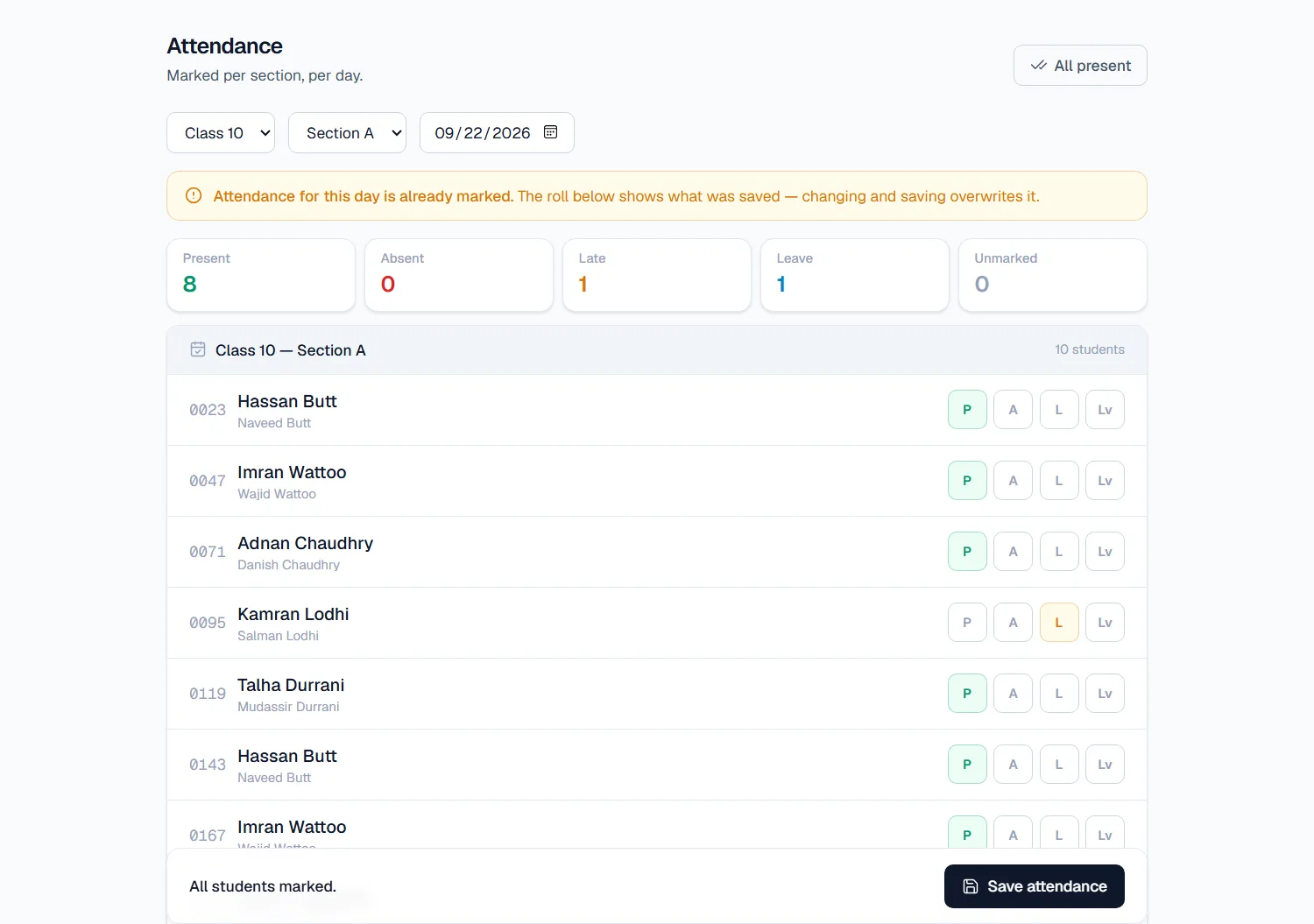
Choose the class, section and date. Press All present, then change only the students who are absent, late or on leave, and save. If the day has already been marked, EDIX shows what was saved so nobody marks it twice by accident.
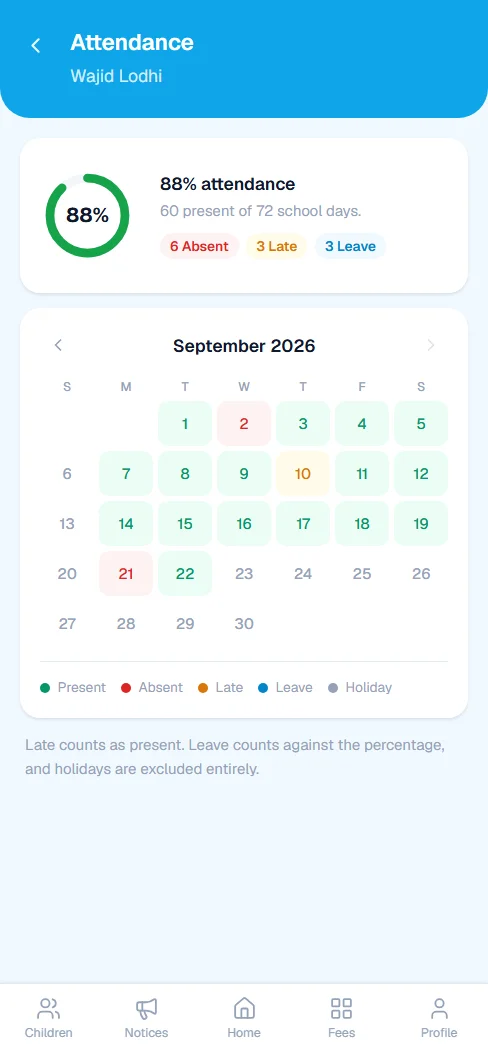
- Four marks: present, absent, late and leave. Late counts as present.
- The overview shows the office which sections are still to be marked today.
- Parents get a phone alert the same day when their child is marked absent or late.
- Closed days, like Sundays and Eid, are left out of every percentage.
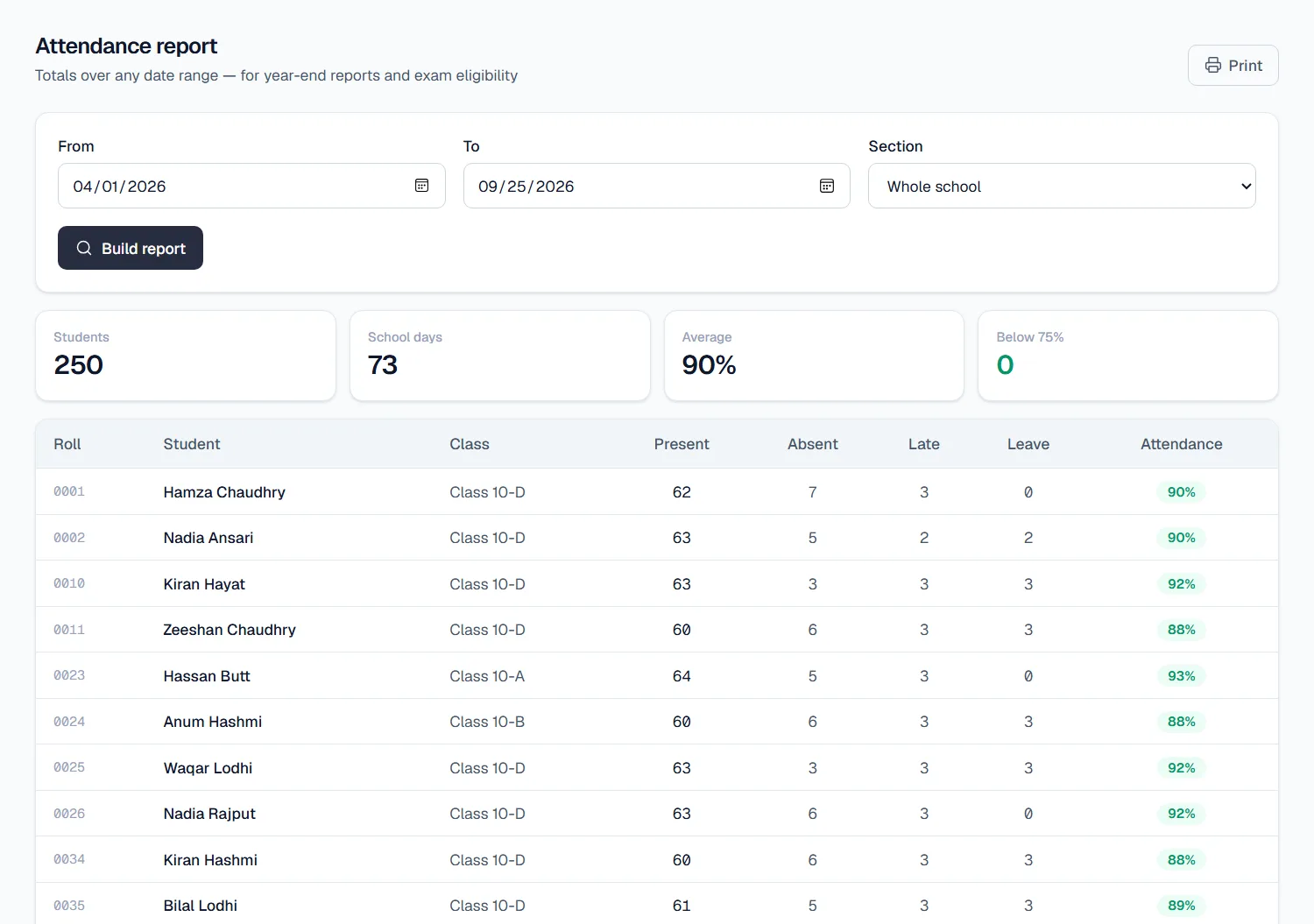
- The attendance report covers any dates, for the whole school or one section, and shows who is below 75%.
- Staff attendance works the same way, for teachers and support staff alike.
Fee management software that works out challans, payments and arrears.
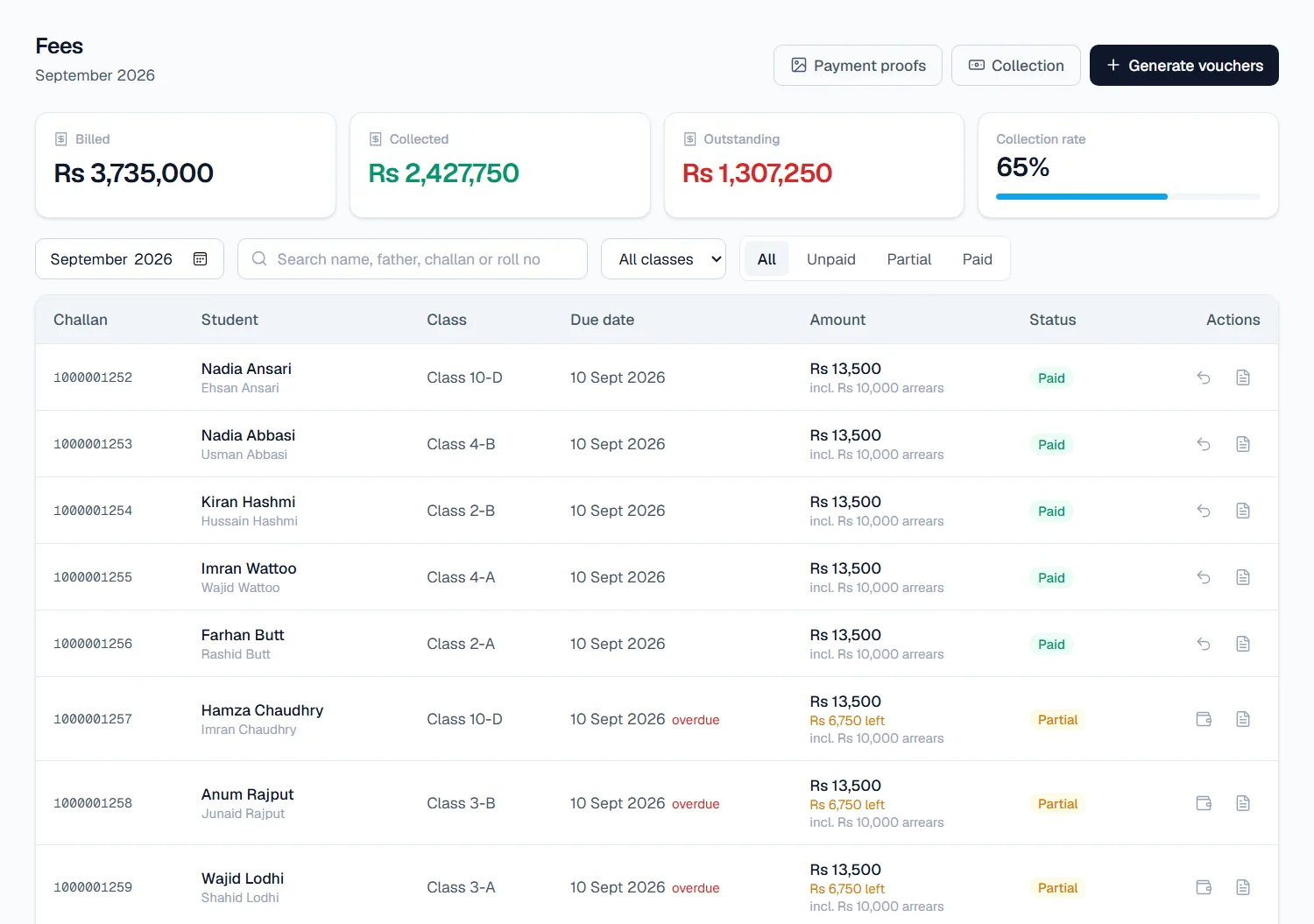
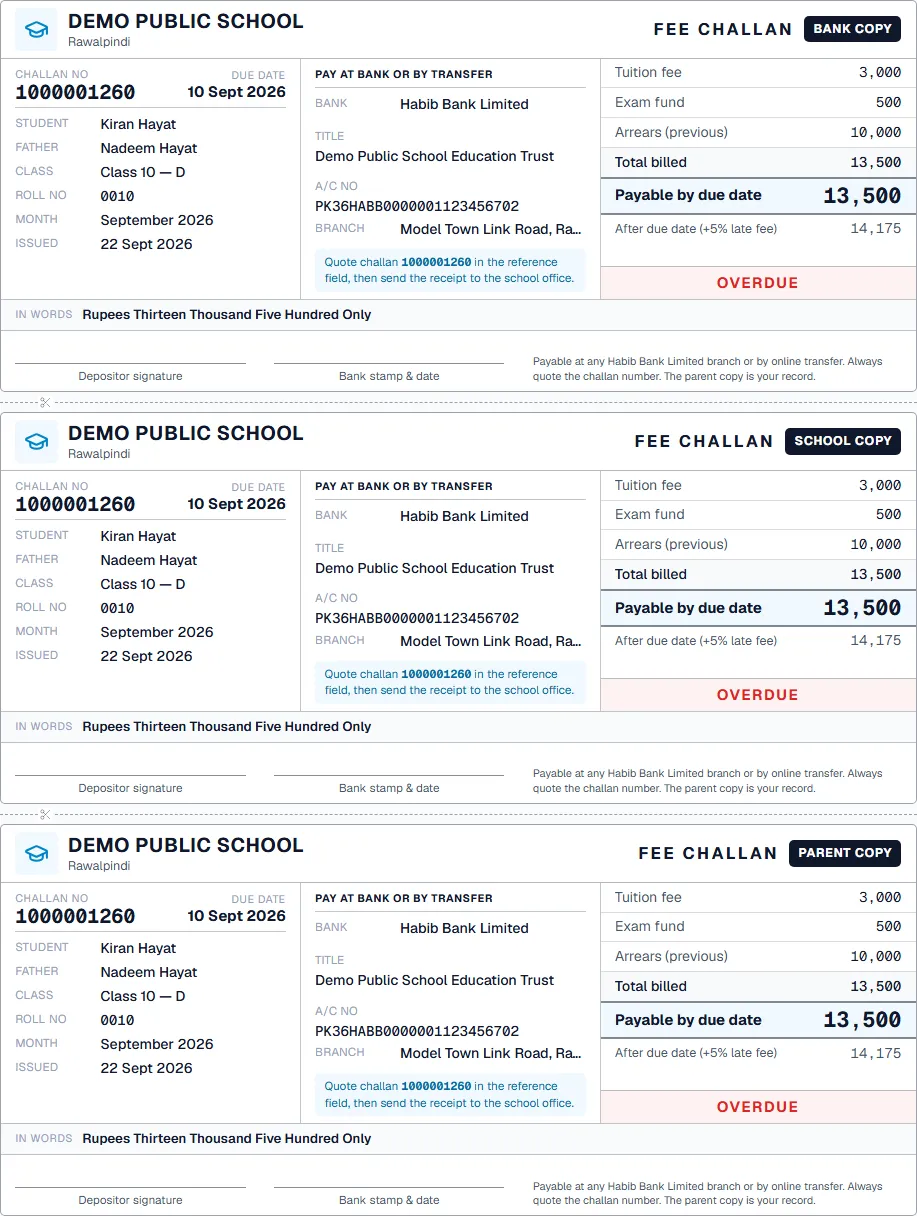
Generate a whole month's fee vouchers in one step. EDIX skips anyone who already has one, so running it twice by mistake does no harm. Each voucher prints as a proper A4 bank challan.
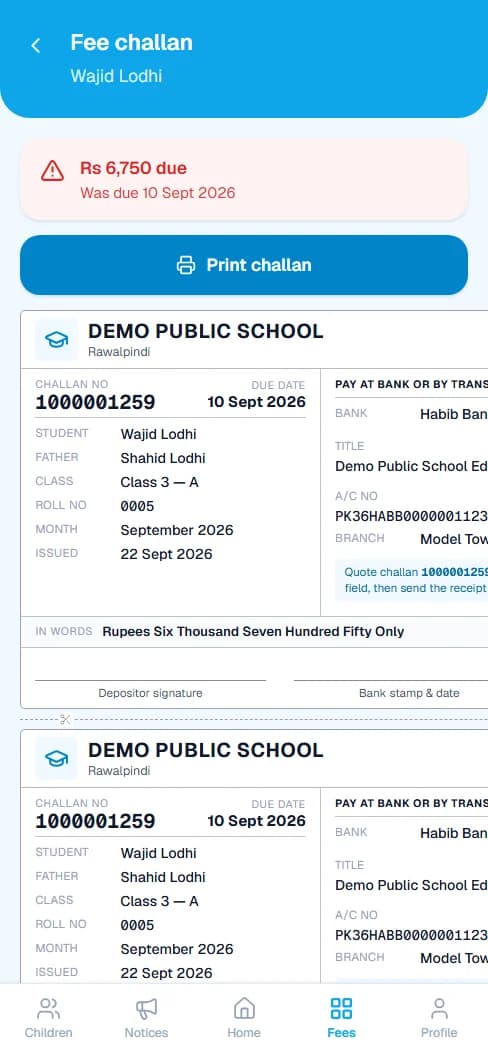
- Bank copy, school copy and parent copy on one A4 sheet.
- Your bank, account title, account number and branch printed on every challan.
- The amount in words, and the late fee after the due date.
- Unpaid balances carried to next month as arrears, so the parent sees one figure.
- Full or part payments, by cash, bank or cheque, with a printed receipt.
- Record a payment against the wrong student? Undo just that one payment.
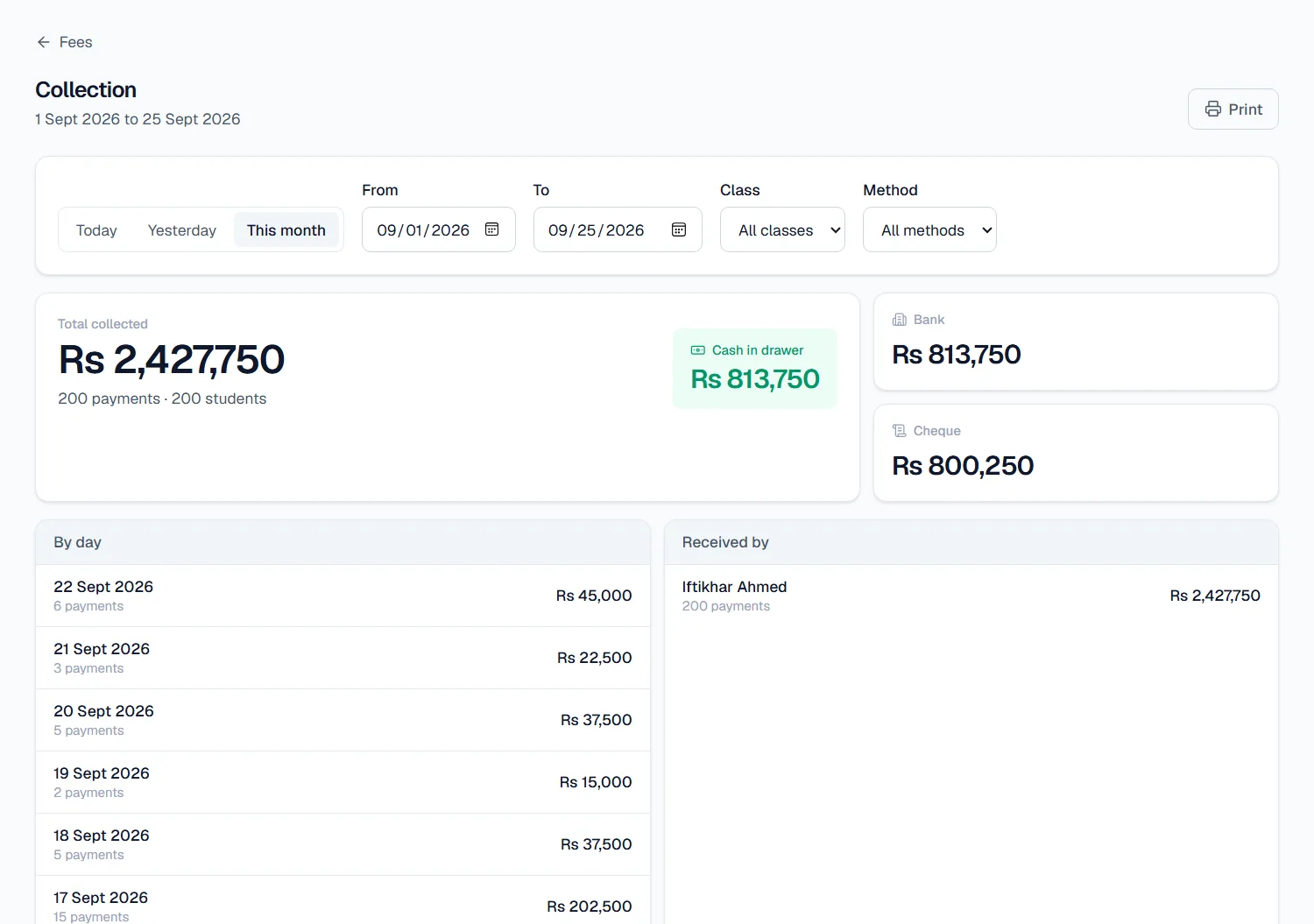
The collection report
See what came in today, yesterday, this month or between any two dates. The total is split into cash in the drawer, bank and cheque, then listed day by day and by who received it. Filter by class or by payment method, and print it for the accounts file.
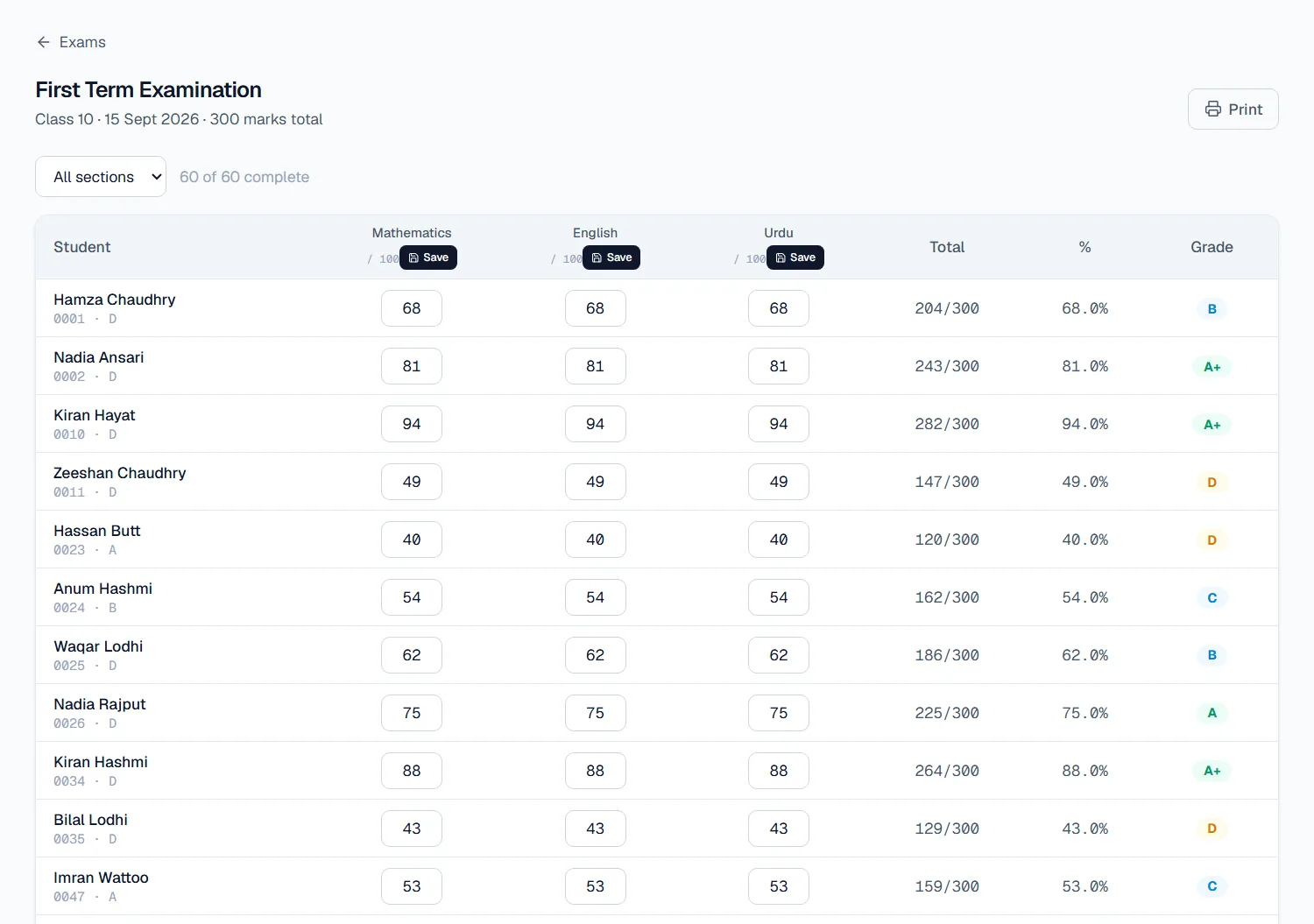
Exam results software: type in the marks, the rest is done.
Set up an exam with its subjects and the marks each paper is out of. Enter marks subject by subject; the total, percentage and grade fill in for every student as you type.
- Each subject can have its own paper total, and it counts in proportion.
- EDIX refuses a mark that is higher than the paper total.
- See one section or the whole class, and how many students are complete.
- A result card for each student, with marks, grade, percentage, position in the section, the teacher's remarks and your school logo.
- Print result cards for a whole class at once, as a PDF.
- Print the results sheet for the notice board or the file.
- Teachers enter marks only for the papers they teach.
- Parents see their own child's results in the parent app.
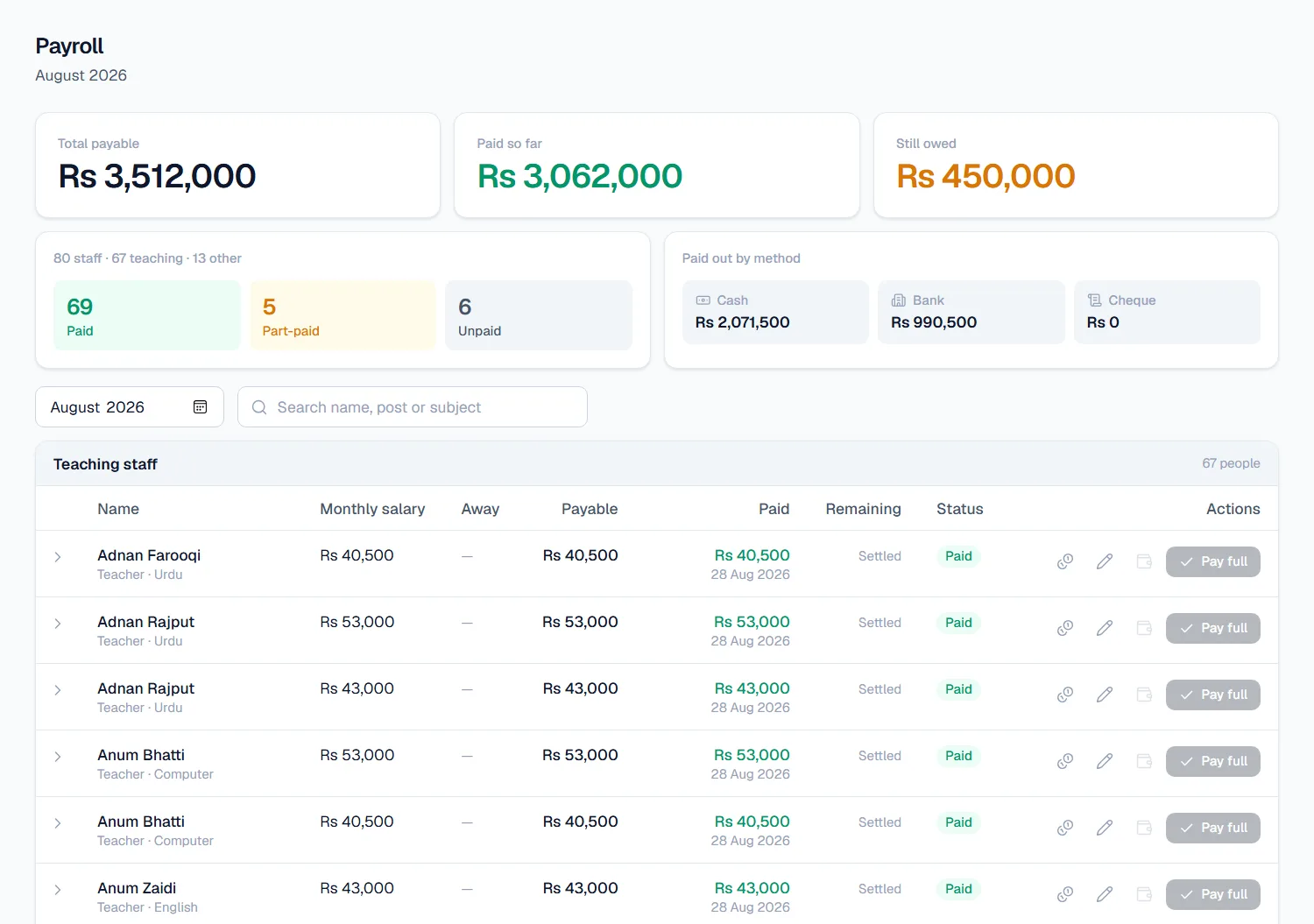
School payroll: the whole staff's salaries on one screen.
Every month starts with each person's salary. Add any allowance or deduction, then pay in full with one button, or record a part payment, by cash or bank. The totals at the top show what has been paid and what is still owed.
- Teaching and non-teaching staff, like guards and cleaners, on the same payroll.
- Split by paid, part-paid and unpaid, and by cash, bank and cheque.
- Go back to any month to see who was paid what, and when.
- Each teacher sees their own salary record in the teacher app.
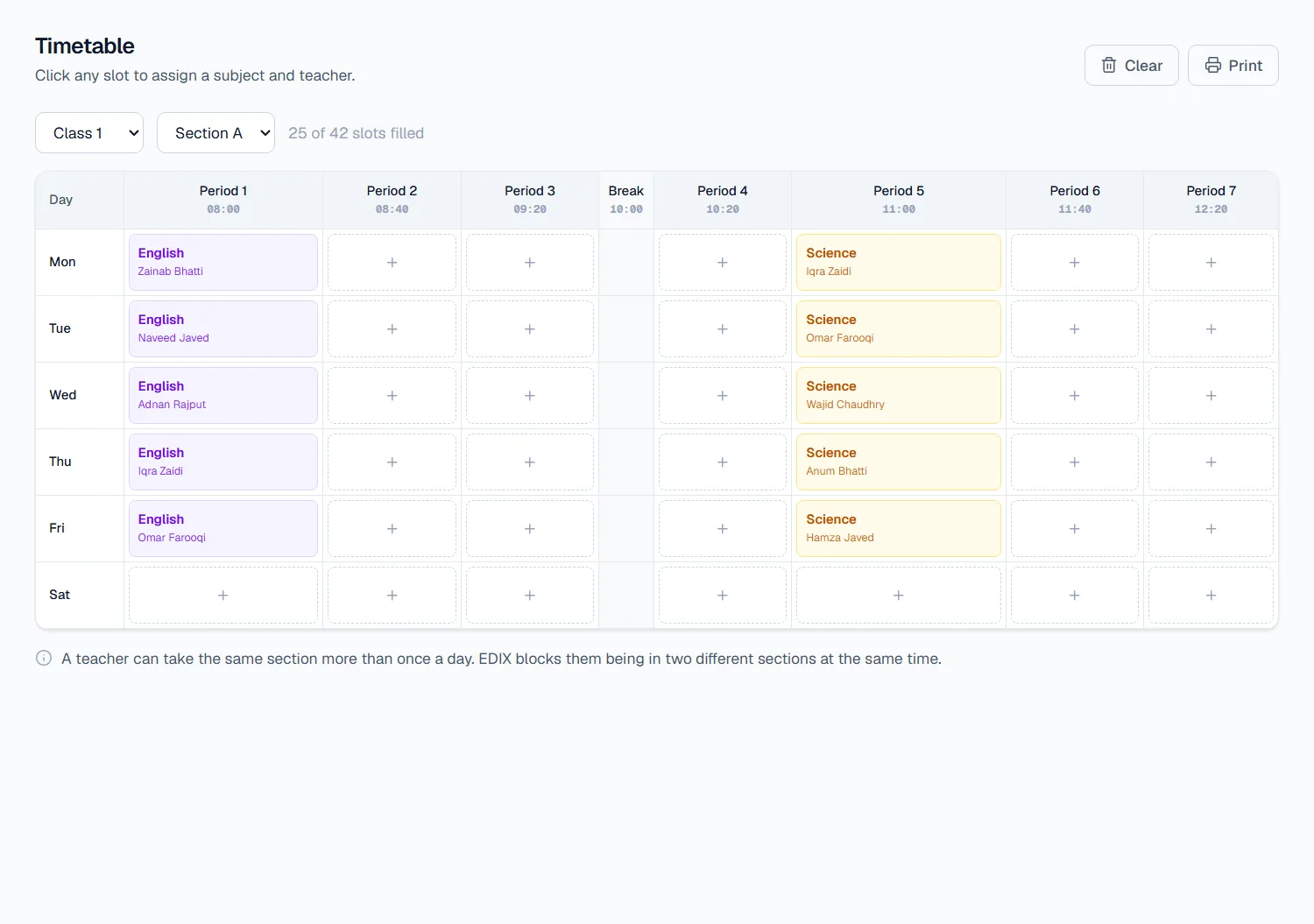
A weekly timetable for every section.
Click any period to give it a subject and a teacher. Break times sit in their own column. The timetable also decides which sections each teacher sees in their app.
- A teacher can take the same section more than once a day.
- EDIX stops a teacher being put in two sections at the same time.
- Print a section's timetable for the classroom wall.
- Parents and teachers see the timetable on their phones.
Everything about their child, on their own phone.
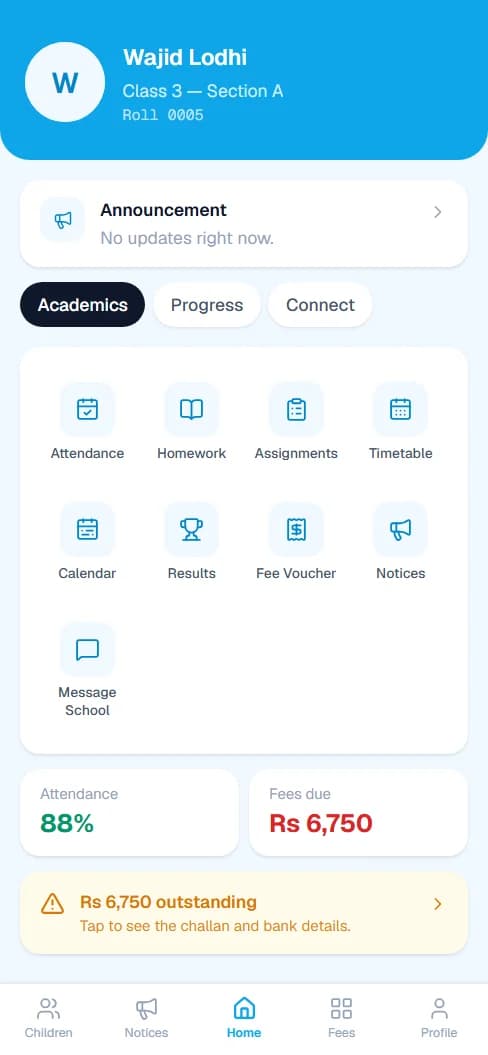
A parent signs in with their CNIC and sees each of their children: attendance, fees, results, homework and the school's notices. It saves the office a great many phone calls.
- Attendance calendar, day by day
- Fee vouchers, paid and due
- The full challan, ready to print
- Results and homework
- Timetable and school calendar
- Notices and parent-teacher meetings
- Message the school
- Several children under one login
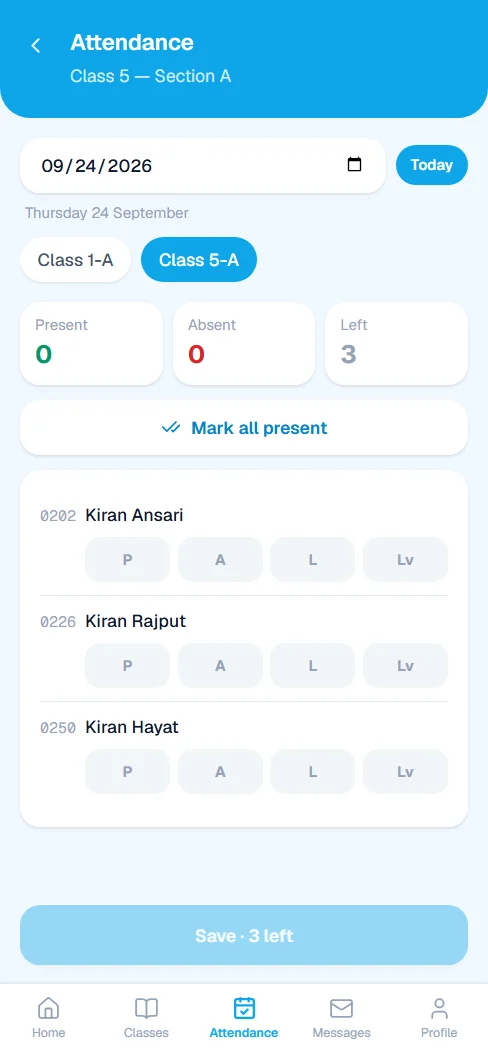
The register, the marks book and the diary, on one phone.
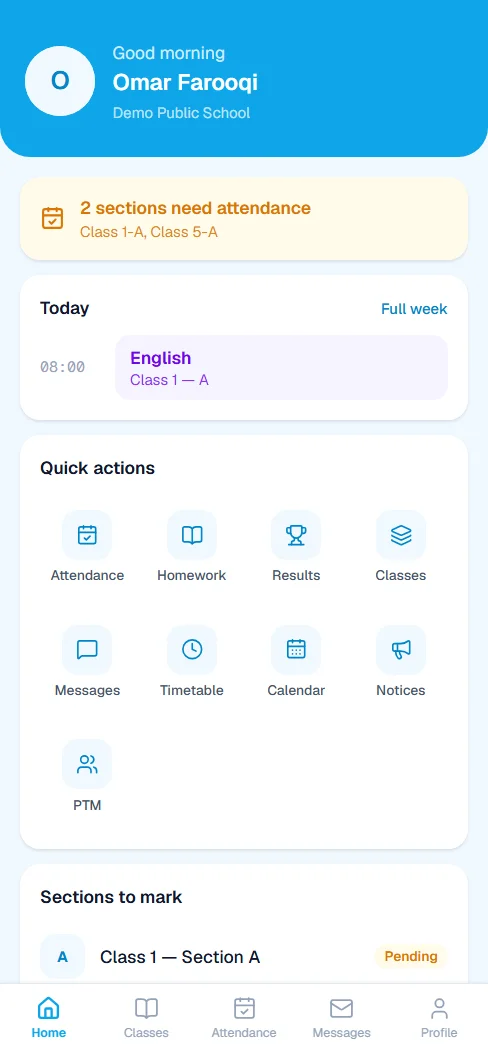
Teachers see only their own sections. What they enter goes straight into the school's records, and straight to the parents. More about the teacher app.
- Mark attendance for the sections they teach.
- Enter marks for the papers they teach, and no others.
- Set homework for their classes.
- Check their timetable, notices and the school calendar.
- See their salary record and message the office.
Homework, notices, the calendar and more
The smaller jobs that fill a school week, each with its own place in EDIX.
Homework
Teachers set homework for their sections. Parents see it in the app the same day.
Notices
Post an announcement once. It reaches parents and teachers in their apps.
School calendar
Events, exams, meetings, holidays and Eid, filtered by type. Closed days feed into attendance.
Parent-teacher meetings
Plan PTMs and let parents and teachers see when theirs is.
Messages
Teachers and parents write to the office inside EDIX, and every message stays on record.
ID cards
Student and staff ID cards, ready to print.
Classes & promotion
Classes, sections and subjects, and promotion to the next class at the end of the year.
Staff records
Teaching and support staff. A guard or cleaner can be on payroll without a login.
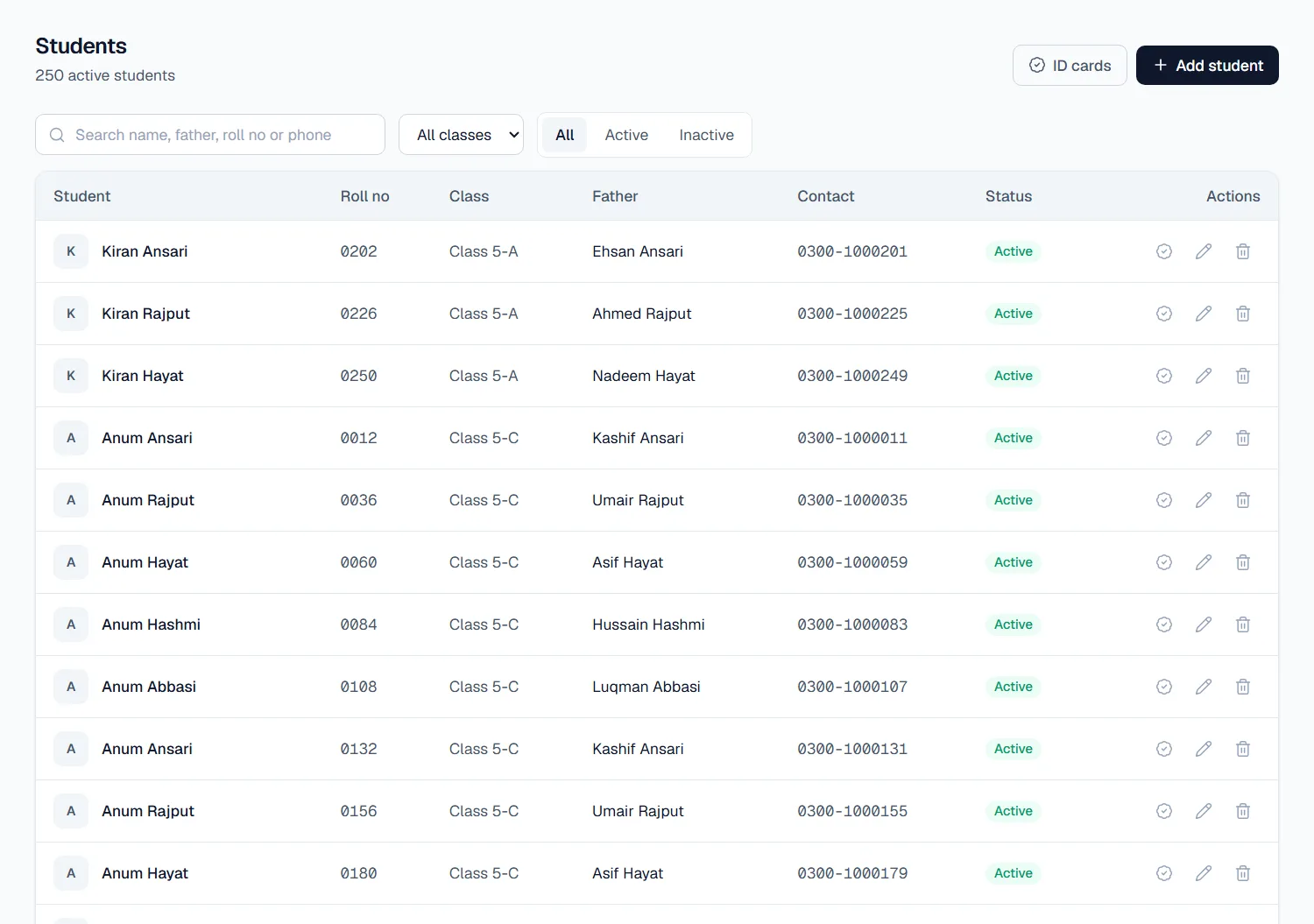
Every student, found in seconds.
Search by name, father's name, roll number or phone, or filter by class. Each record holds the student's class, section, father and contact number, and links to their fees, attendance and results.
Want to see EDIX for yourself?
Message us on WhatsApp and we will walk you through EDIX, screen by screen, and answer every question.
We reply within 1 working day.