
A school app for parents and teachers that keeps home and school on the same page.
Parents see how their child is doing. Teachers spend less time on paperwork. Both use their own phone, and both sign in with their CNIC.
Know how your child is doing, without waiting for the result card.
Most parents only hear from school when something has gone wrong, or when the fee is late. The EDIX parent app shows you what is happening every day, so there are no surprises.
Is your school not on EDIX yet? Tell them about it, or see what EDIX does for the school office.
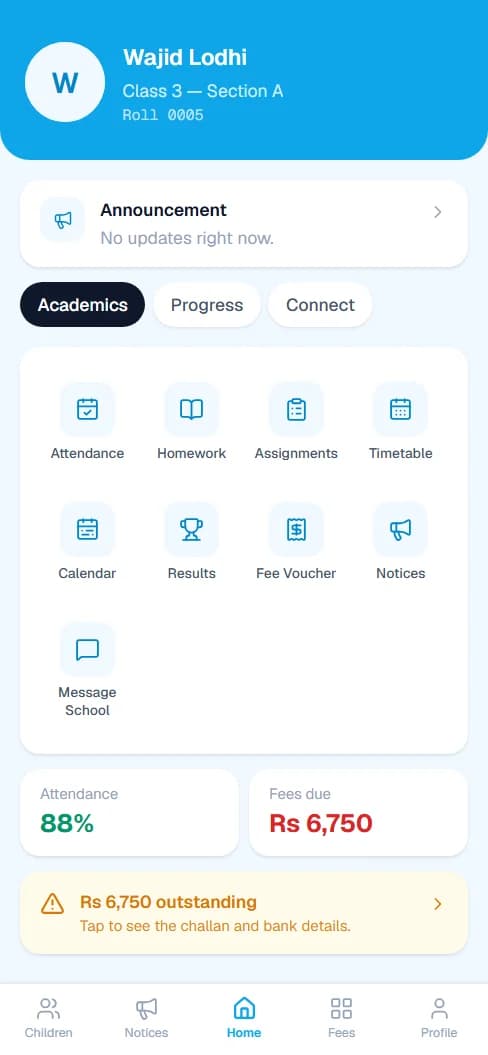
Told the same day
A phone alert when your child is marked absent or late, the same day, not at the end of the month.
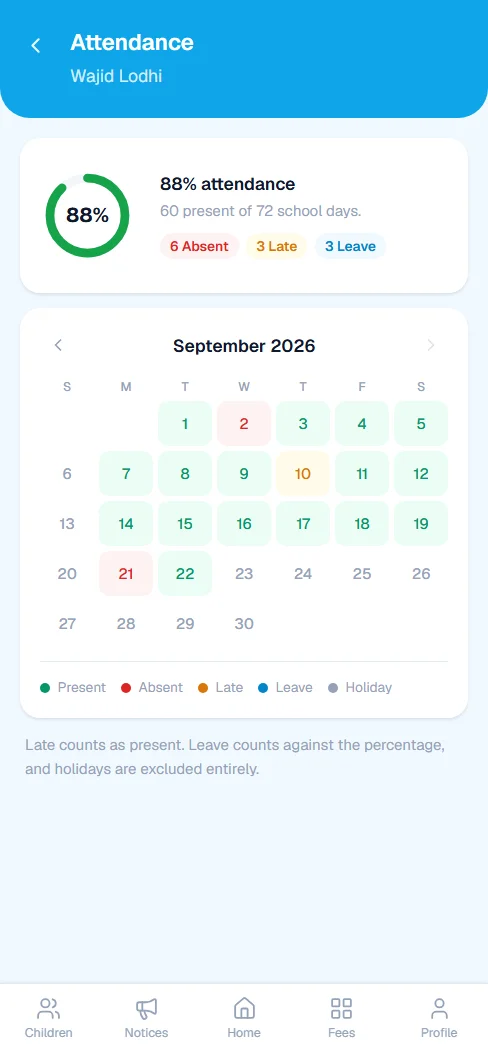
Attendance, day by day
A calendar of the month with every present, absent, late and leave, and the overall percentage.
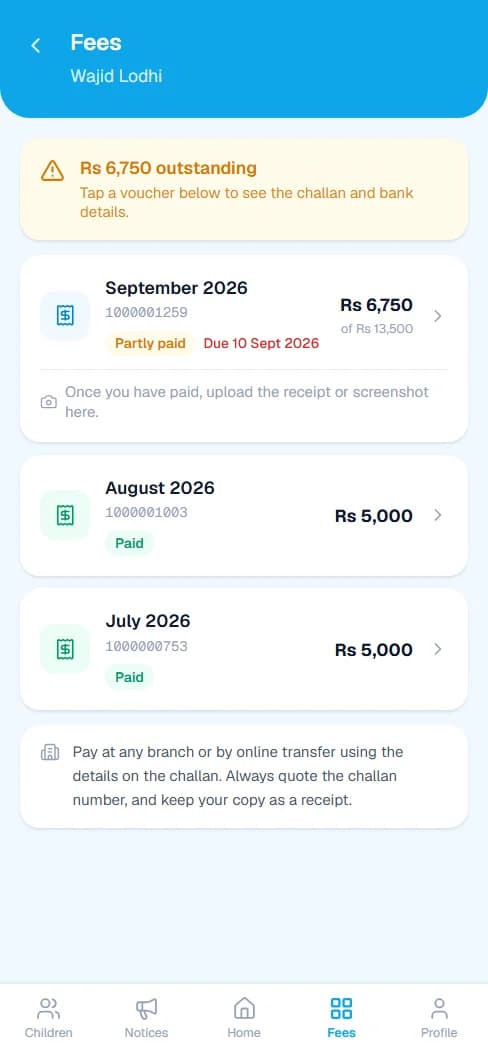
Fees without the queue
Every voucher, what is paid and what is due, and the full challan with bank details to print or show at the bank.
Results as soon as they are in
Marks for every subject, the percentage and the grade, once the school has entered them.
Homework and timetable
What was set today and what is on tomorrow, without asking your child.
Notices and the calendar
School announcements, holidays, exams and parent-teacher meetings in one place.
Message the school
Write to the office from the app, instead of hoping a note reaches the right desk.
All your children
Brothers and sisters at the same school, under one login.
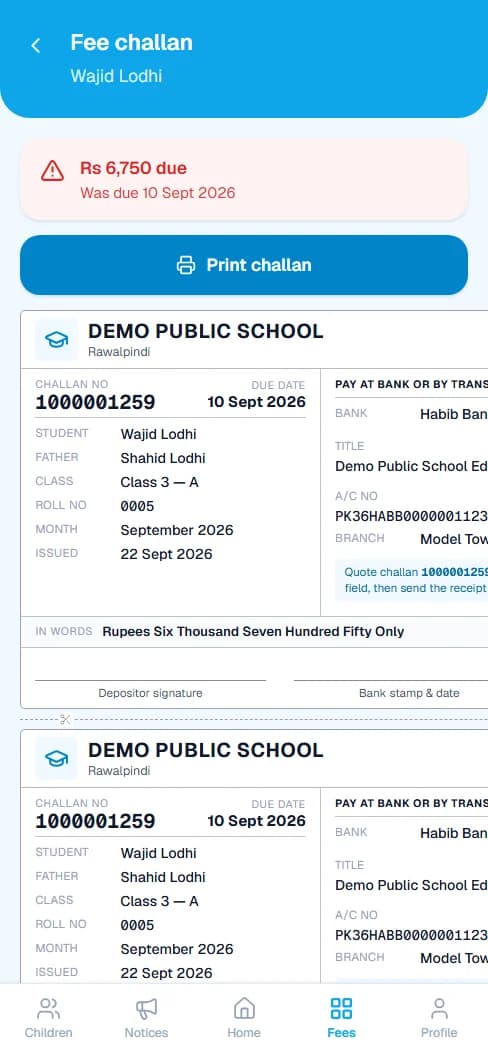
The challan is on your phone. No more lost copies.
Open any month to see the full challan, with the school's bank details and the amount in words. Print it, or take the details to any branch. When the school records your payment, it shows as paid.
- See every month: paid, partly paid or due.
- The due date and the late fee, shown up front.
- Last month's balance included, so there is one figure to pay.
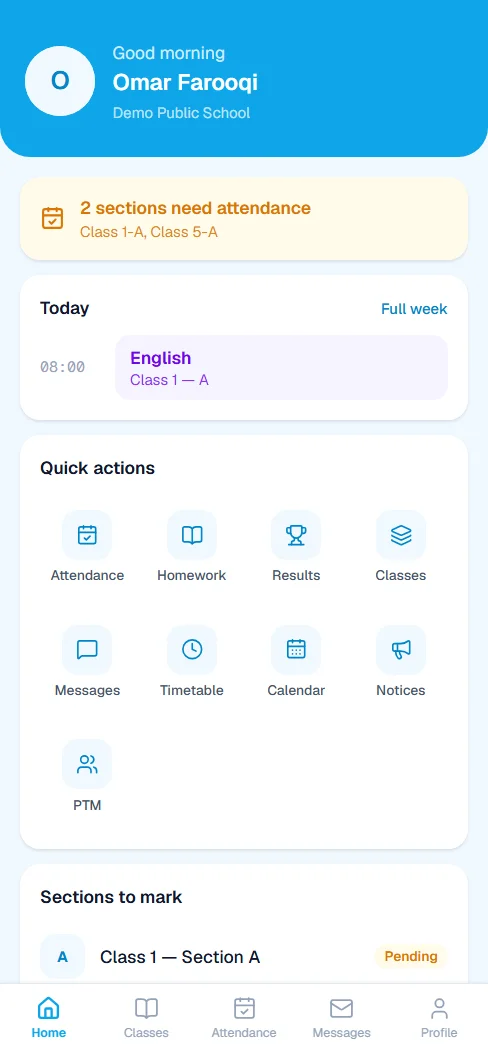
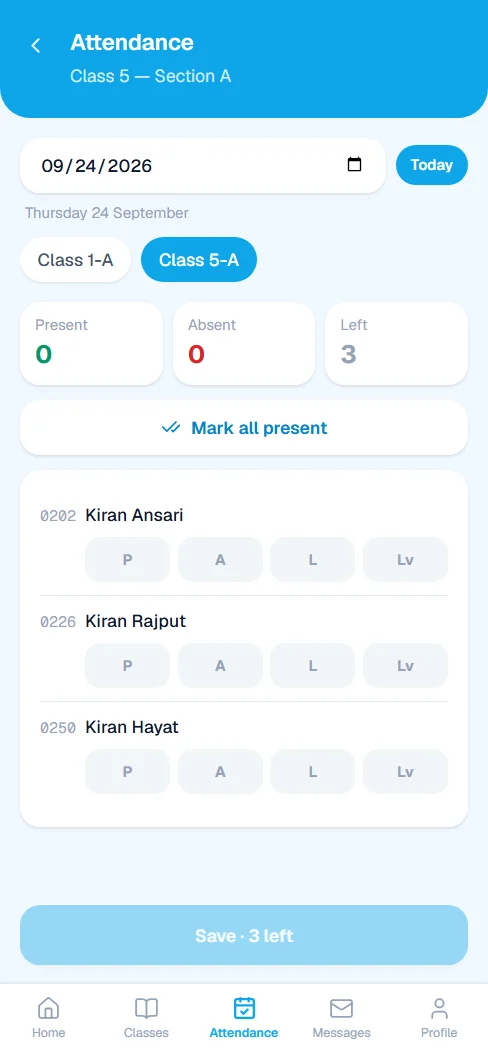
Less paperwork. More time to teach.
The register, the marks book and the homework diary are all on your phone. What you enter goes straight to the office and to parents, so nobody has to copy it out again.
The whole class on one screen
Tap once for all present, then change the few who are not, and save. No register to carry back to the office.
Marks without the arithmetic
Enter marks for your own papers. Totals, percentages and grades are worked out for you.
Homework that reaches home
Set homework once and every parent in the section can see it.
Your week at a glance
Your timetable, the school calendar and the latest notices, always on your phone.
Your salary record
See what you have been paid each month, and when.
A line to the office
Message the office from the app, and see parent-teacher meeting times.
Up and running in three steps
For parents and teachers alike. There is nothing to install from an app store.
Get your login from school
The school office gives you your Client ID and a password. You sign in with your own CNIC.
Open EDIX on your phone
Go to app.edixsoftware.com in your phone's browser and sign in. You can add it to your home screen like an app.
Turn on notifications
Allow notifications when EDIX asks, so absence alerts and notices reach you straight away.
A parent sees only their own children. A teacher sees only their own classes.
No signal? You can still open EDIX and see everything from your last sign-in.
Holidays, exams and meetings are on the calendar the moment the school adds them.
Trouble signing in? Your school office can reset your password in a moment.
Want to see EDIX for yourself?
Message us on WhatsApp and we will walk you through EDIX, screen by screen, and answer every question.
We reply within 1 working day.